
Setting up cloud servers, networks and databases by hand through a web console works for a small test, but it quickly becomes slow and error-prone as your environment grows. Cloud infrastructure automation solves this by defining your infrastructure in code and letting tools build it for you.
What Is Cloud Infrastructure Automation?
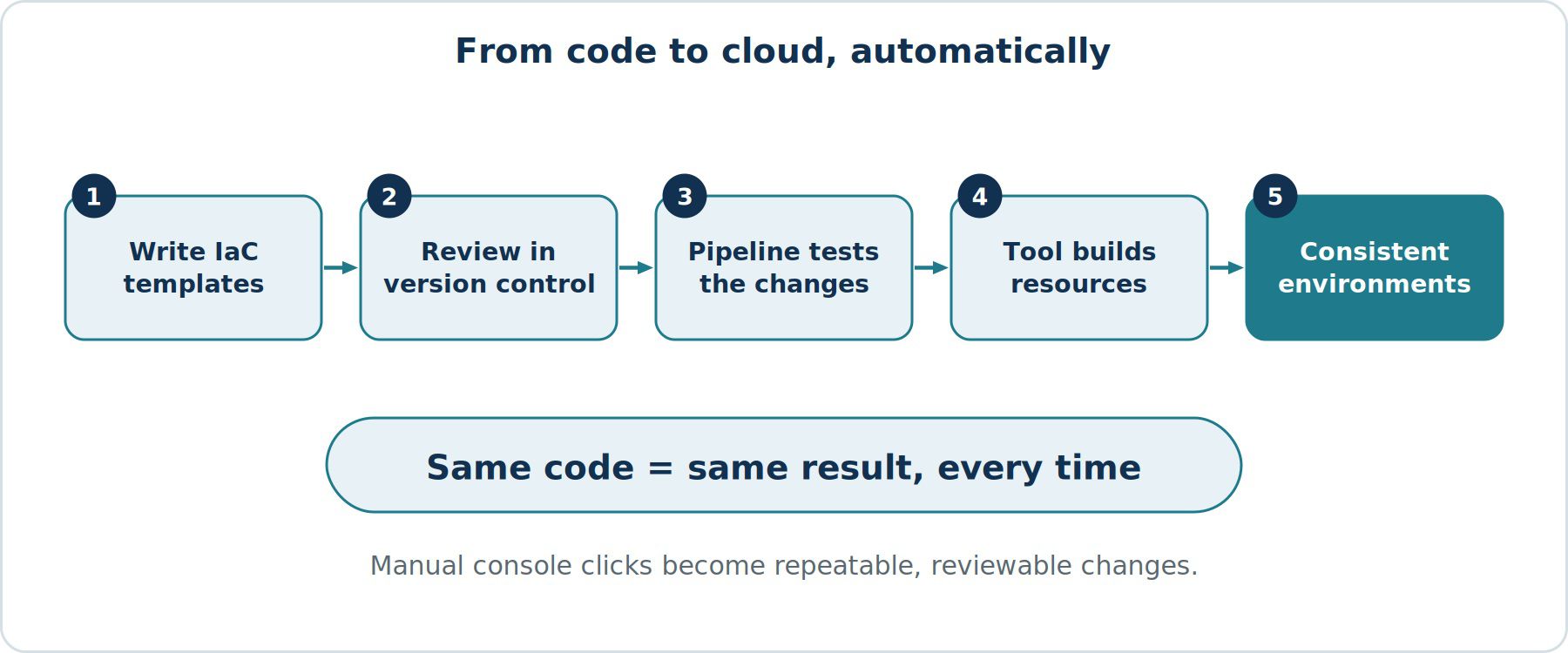
Cloud infrastructure automation means using scripts, templates and tools to create, configure and manage cloud resources without manual clicking. Instead of building a server by hand, you describe what you want and the tooling creates it the same way every time.
What Is Infrastructure as Code (IaC)?
Infrastructure as Code is the most common way to automate infrastructure. You write configuration files that describe resources such as virtual machines, networks, storage and permissions. These files are stored in version control like application code, reviewed by teammates and applied by tools.
Popular tools include Terraform, AWS CloudFormation, Azure Bicep and Pulumi. Configuration management tools such as Ansible handle setup inside servers after they exist.
Key Benefits of Automating Your Infrastructure
Saves Time
Environments that once took days to set up manually can be created in minutes from a template. Teams spend less time on repetitive tasks and more on improving their products.
Reduces Human Error
Manual setup leads to missed settings and small differences between servers. Code applies the same steps every time, which removes a major source of mistakes and outages.
Creates Consistent Environments
Development, testing and production can be built from the same definitions, so problems found in testing are more likely to match what happens in production.
Improves Security and Compliance
Security settings can be written into your templates and checked automatically. Every change is recorded in version control, which gives you an audit trail of who changed what and when.
Makes Disaster Recovery Faster
If an environment is lost, you can rebuild it from code rather than from memory or outdated documents.
Supports Cost Control
Temporary environments can be created for testing and removed automatically afterwards, which helps avoid paying for forgotten resources.
How to Get Started
- Start small. Choose a simple, low-risk environment, such as a test setup, to automate first.
- Pick one tool. Select a tool that fits your cloud provider and your team's skills, and learn it well before adding others.
- Use version control. Store all infrastructure code in a repository with review before changes are applied.
- Break code into reusable modules. Reusable components for networks, servers and databases reduce duplication.
- Protect secrets. Never store passwords or keys in code. Use a secrets manager.
- Add automated testing and pipelines. Validate changes automatically and apply them through a controlled deployment pipeline.
- Prevent manual drift. Discourage manual changes in the console, as they cause the real environment to differ from your code.
Common Mistakes to Avoid
- Automating a poorly designed architecture, which just creates problems faster.
- Keeping infrastructure state files unprotected or shared without controls.
- Giving automation tools more permissions than they need.
- Skipping documentation, which makes the code hard for new team members to understand.
Final Thoughts
Cloud infrastructure automation turns your environment into something that is repeatable, reviewable and reliable. It does not need to be done all at once. Start with one environment, prove the benefits and expand step by step. If your team lacks the experience, a cloud partner can help you set up good foundations and practices.