
Moving applications and data to the cloud can cut infrastructure overhead and make your business more flexible, but only if the migration is planned properly. Most failed migrations share the same causes: unclear goals, missing dependencies, untested cutovers and no rollback plan. This cloud migration checklist walks through ten steps that help you move without disrupting customers or staff.
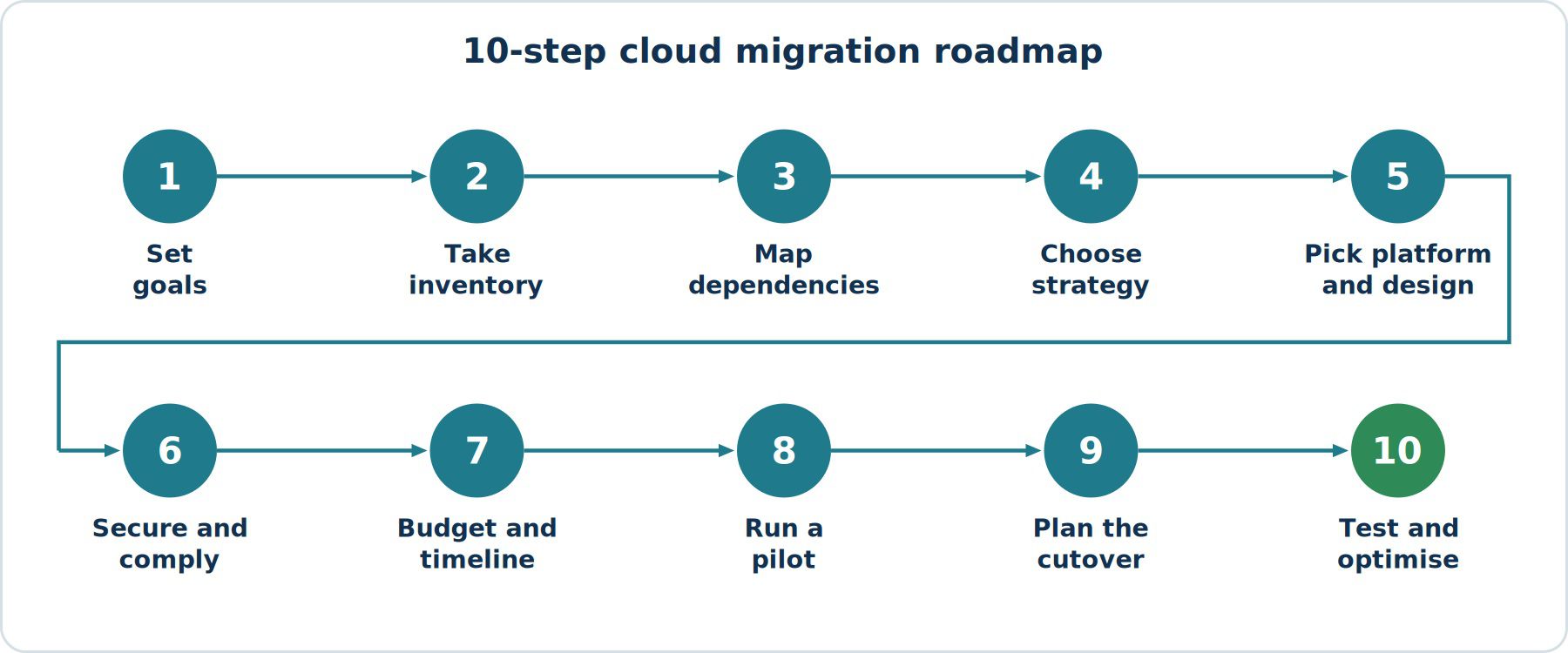
1. Define Your Business Goals
Start with the why. Are you reducing data centre costs, improving availability, supporting remote teams or preparing for growth? Written goals give you measurable success criteria and help you decide what to migrate first.
2. Take a Full Inventory of Your Environment
List every application, server, database, integration and scheduled job. Record owners, operating systems, storage size, traffic patterns and licensing. Hidden systems, such as an old reporting script that quietly feeds finance, are a common source of outages.
3. Map Dependencies
Document which systems talk to which. Applications that communicate heavily should usually move together, otherwise latency between the cloud and your old data centre can slow everything down.
4. Choose the Right Migration Strategy per Workload
Not every workload needs the same approach. Some can be rehosted as they are, others benefit from re-platforming or a redesign, and some should be retired or replaced with SaaS. Decide this application by application.
5. Select Your Cloud Provider and Architecture
Compare providers on the services you actually need, regional availability, compliance requirements, pricing model and your team's existing skills. Design the target architecture, including networking, identity, backup and monitoring, before moving anything.
6. Prepare Security and Compliance
- Set up identity and access management with least-privilege roles.
- Enable multi-factor authentication for all administrative accounts.
- Plan encryption for data at rest and in transit.
- Confirm data residency and regulatory requirements for your industry.
7. Build a Realistic Budget and Timeline
Include migration tooling, temporary duplicate environments, staff time, training and post-migration optimisation. Use the provider's pricing calculator for estimates, then review actual usage after go-live.
8. Run a Pilot Migration
Pick a low-risk, non-critical workload and migrate it first. A pilot exposes problems with networking, permissions, performance and process while the stakes are low, and gives your team practice before the larger moves.
9. Plan the Cutover to Avoid Downtime
- Replicate data continuously so the cloud copy stays current.
- Lower DNS TTL values ahead of the switch so traffic can be redirected quickly.
- Schedule cutover during your lowest-traffic window.
- Keep the old environment running until the new one is verified.
- Prepare a documented rollback plan with clear decision criteria.
10. Test, Monitor and Optimise After Migration
After go-live, validate functionality, performance and backups. Set up monitoring and alerts, review costs weekly at first, right-size over-provisioned resources and decommission the old environment only when you are confident it is no longer needed.
Final Thoughts
A successful cloud migration is mostly preparation. Following a structured checklist reduces surprises, protects your customers' experience and gives your team a repeatable process for future moves. If you need help planning or executing your migration, speak with a qualified cloud solutions partner who can assess your environment and build a plan around your goals.